WooCommerce Variation Swatches That Convert 30% Better
Replace boring dropdowns with visual swatches. Boost sales, reduce returns, and give customers the shopping experience they expect.
6k+
Active Stores
21+
Five-Star Reviews
30%
Higher Conversions
Why Store Owners Love Swatchly
Powerful features that deliver real results for your WooCommerce store
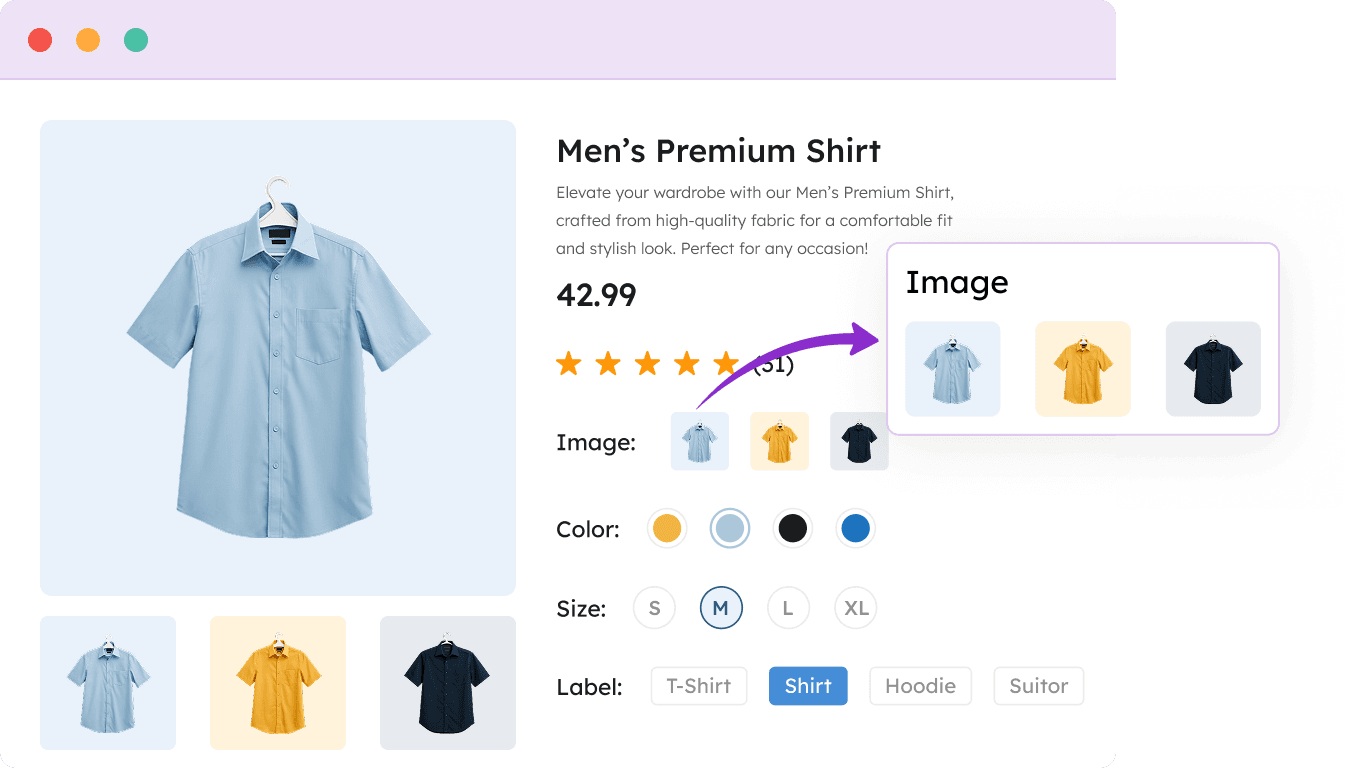
Image Variation Swatch
Display clickable product images for each variation instead of boring dropdown menus.

Show actual product photos as swatches
Perfect for patterns, textures & product angles
Increases engagement by 45% on product pages
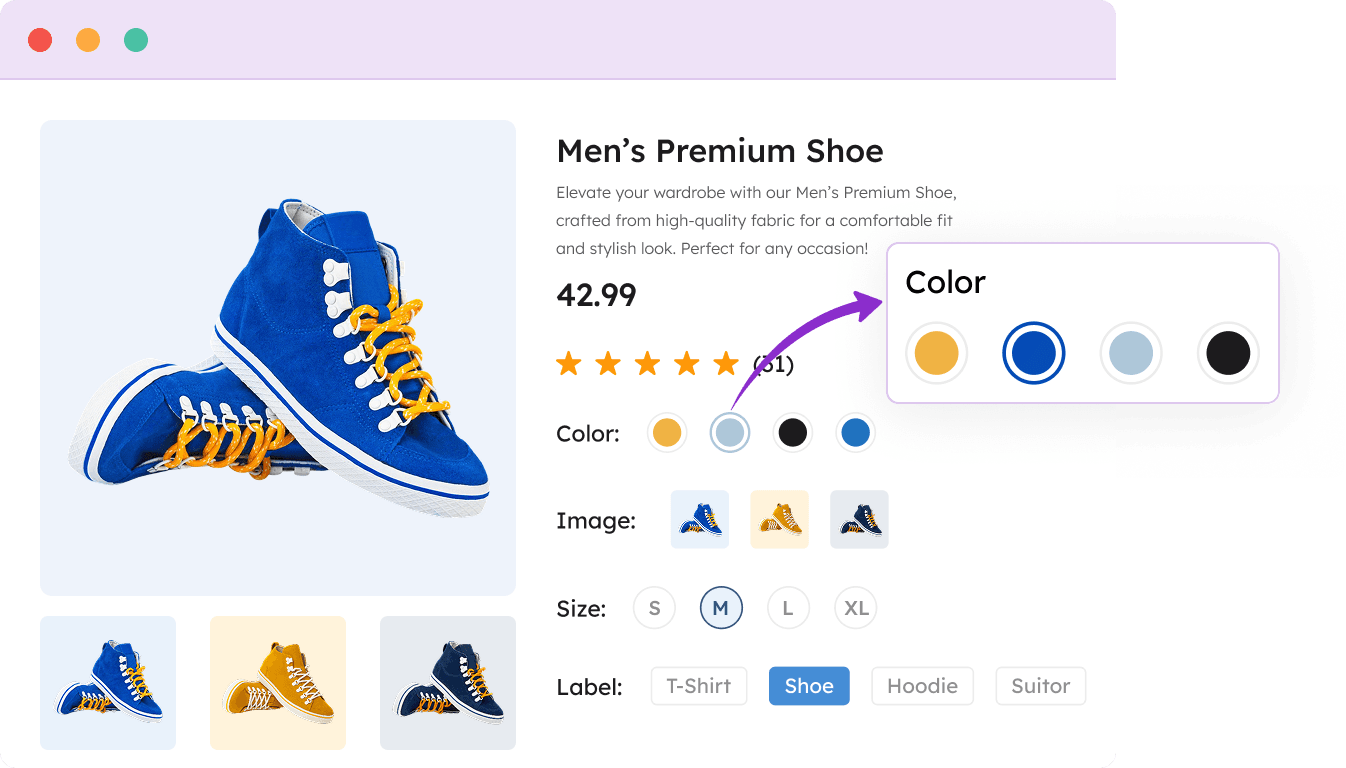
Color Variation Swatch
Color Variation Swatch showcases color options, simplifying selection & adding vibrancy to your store.
Display unlimited colors with automatic shade detection
Multi-color support for gradient & mixed products
Reduces color selection errors by 73%
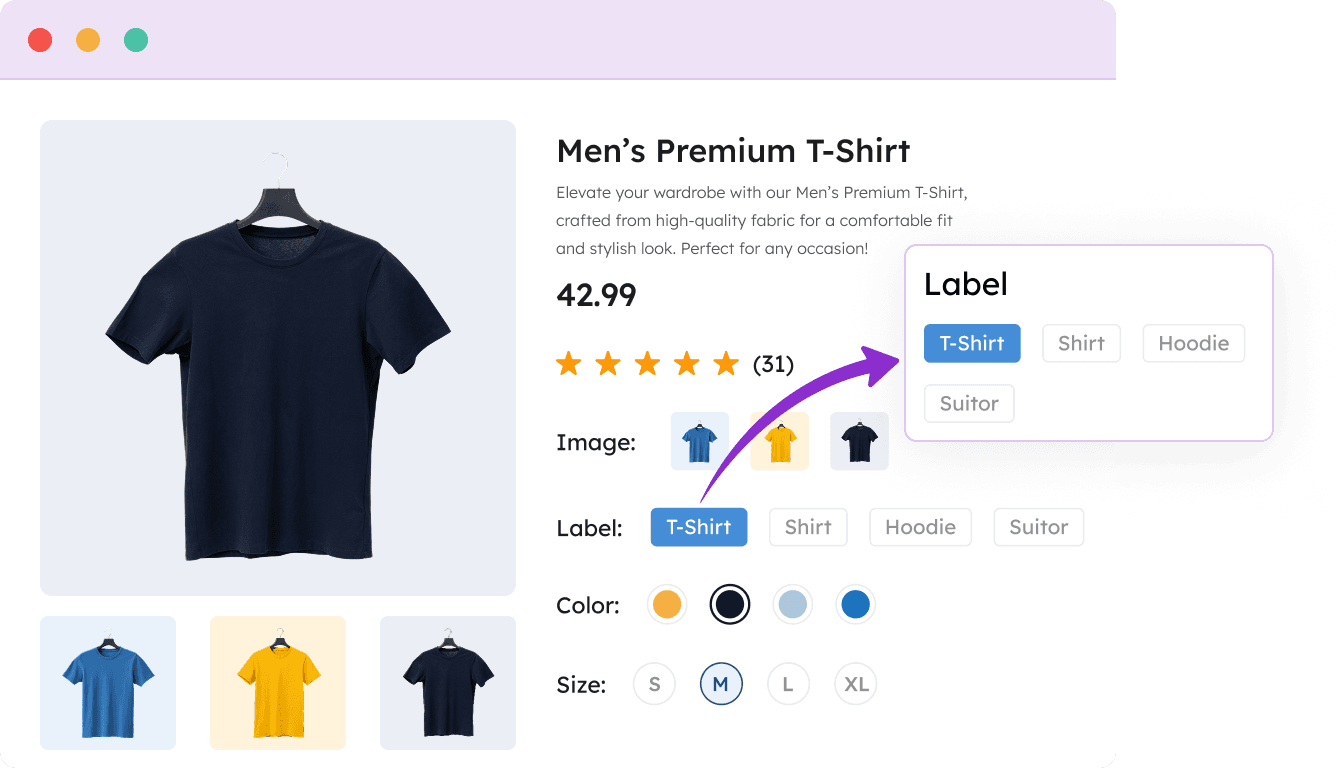
Label Variation Swatch
Turn text options into styled buttons for sizes, materials, and custom attributes.
Perfect for sizes, materials, capacity & text options
Customizable button styles, fonts & colors
60% faster selection than dropdowns
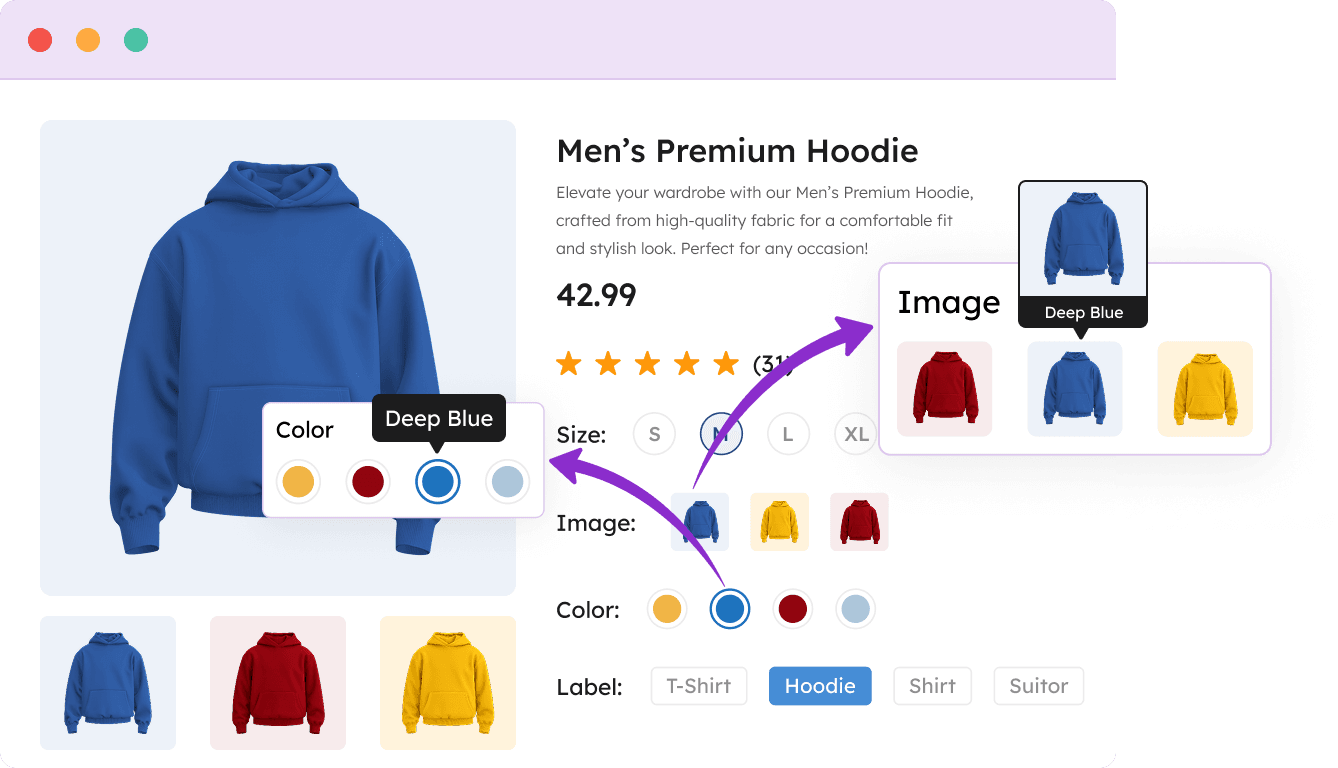
Tooltip Variation Swatches
Add informative hover tooltips showing extra details for better shopping decisions.
Display product images or text on hover
Show additional info like material details or care instructions
Reduces customer questions by 65%
Attribute Shape Style
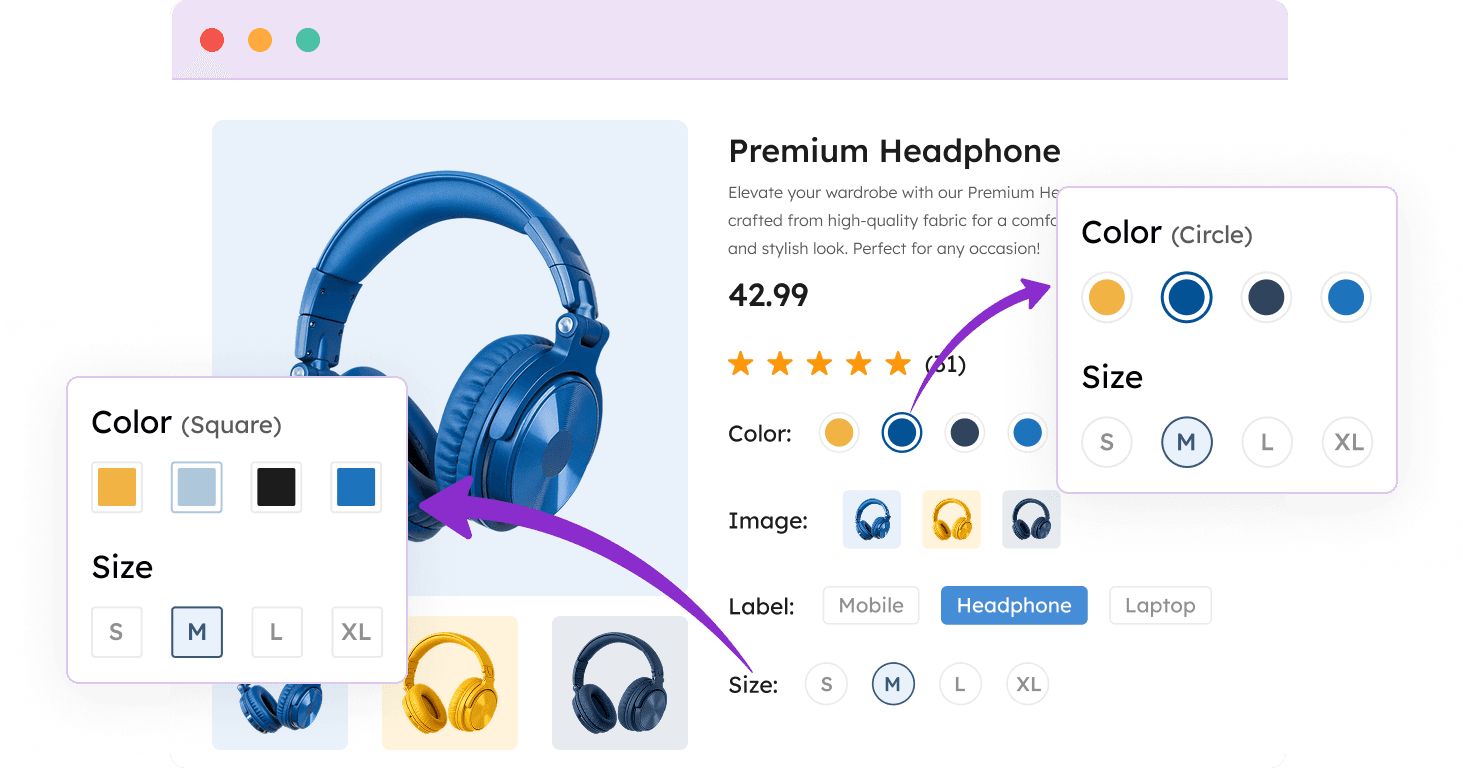
Customize swatch shapes to match your brand with square, rounded, or circle styles.
Three shape options: Square, Rounded, Circle
Mix different shapes for different attributes
Enhances brand consistency & visual appeal
Attribute Behavior (Cross Sign/Blur/Hide)
Control how out-of-stock variations appear to guide customers to available options.
Hide unavailable options completely
Cross-out or blur out-of-stock items
Prevents frustration from selecting unavailable products
Advanced Features for Power Users
Maximize your productivity with Swatchly’s advanced features tailored for power users, offering enhanced control and customization.

Shop Page Swatches
Display swatches on category and shop pages with customizable positioning and Ajax add to cart.

Quick View Support
Works seamlessly with all major quick view plugins for a smooth shopping experience.

Multi-language Ready
Full compatibility with WPML, Polylang, and other translation plugins.

Variation URLs
Generate unique URLs for each variation to improve SEO and enable direct sharing.

Conditional Logic
Show/hide swatches based on conditions like user role, product category, or custom rules.

Performance Optimized
Lazy loading, minified assets, and smart resource loading for lightning-fast pages.
Packed with Everything You Need
Compare the free and pro versions to find the perfect fit for your store
| Features | Free | Pro |
|---|---|---|
| Color Swatches for WooCommerce |  | |
| Label & Text Swatches | | |
| Image Swatches Plugin Support |  | |
| Archive/Shop Page Swatches | | |
| Tooltip with Text or Image | | |
| Hide Out-of-Stock Variations | | |
| Quick View Plugin Compatibility | | |
| Catalog Mode (B2B) | | |
| Ajax Add to Cart | | |
| Custom Swatch Designs | Limited | Full Control |
Limited Time Offer
Upgrade to Pro and get premium support for a full year!
Unlock all premium features to transform your product experience
Perfect for Every WooCommerce Store
See how Swatchly transforms the shopping experience across different industries
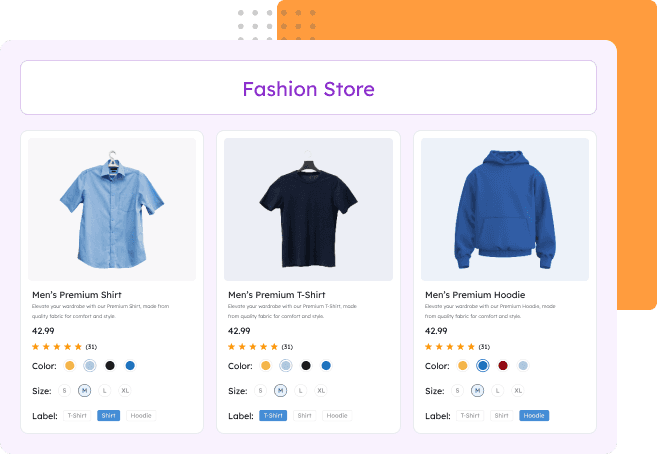
Fashion & Clothing Stores
Display color and pattern options visually to reduce returns and increase customer satisfaction. Ideal for clothing items with multiple variations.

Color & pattern visualization
Reduced return rates
Better size & fit guidance
Improved customer confidence
Furniture & Home Decor Stores
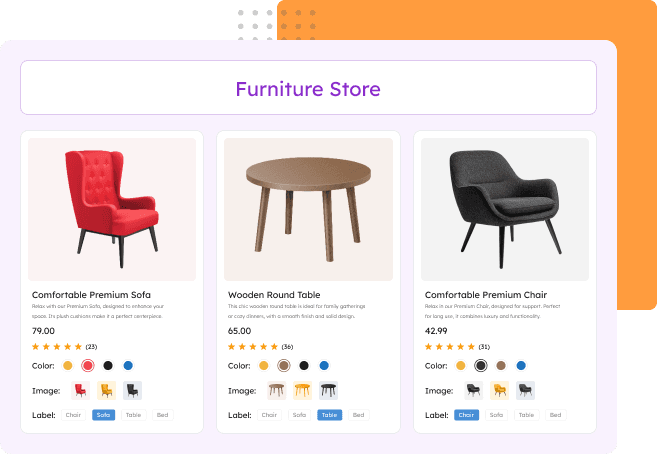
Show material textures and finish options clearly to help customers visualize products in their space. Perfect for furniture with customizable materials and colors.
Material & finish visualization
Fewer customer inquiries
Increased average order value
Reduced sample requests
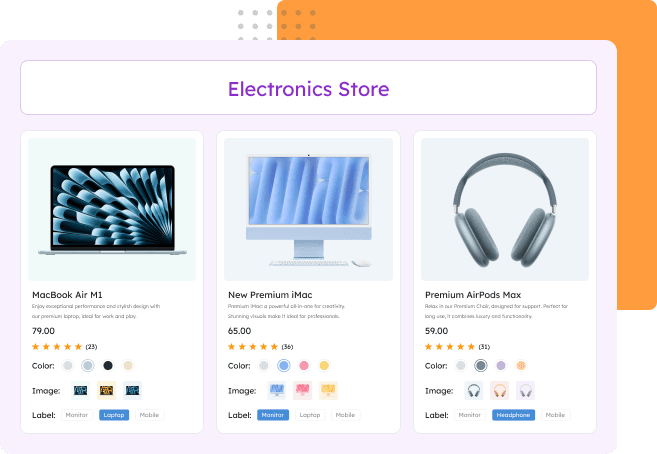
Electronics & Tech Stores
Make technical specifications easy to understand with visual selection for storage, colors, and configurations. Ideal for devices with multiple technical variations.
Storage capacity clarity
Model comparison made simple
Reduced support tickets
Faster purchase decisions
Craft & Art Supply Stores
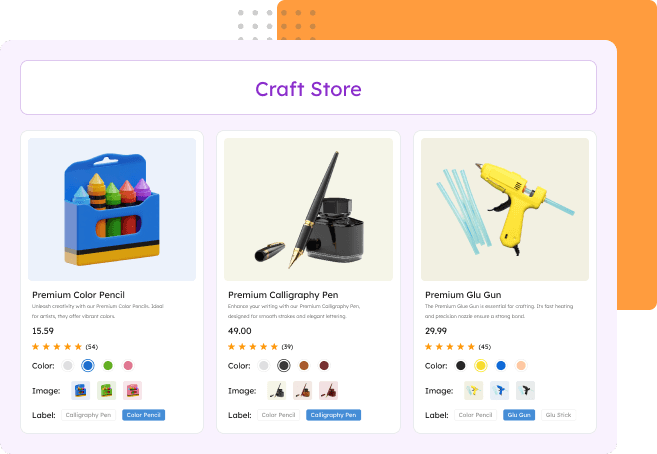
Display color options, material types, and size variations intuitively for creative customers. Essential for stores with extensive product variations.
Color accuracy display
Bundle options visualization
Simplified SKU management
Enhanced browsing experience
Loved by 6,000+ WooCommerce Store Owners
Discover what our satisfied customers are saying about their wonderful experiences with Swatchly.


Simple and Effective. Just What I Wanted
I was looking for a simple to use plugin that did the job it said it would do and that’s exactly what I found with the Swatchly plugin. I had a small issue and contacted support. I received immediate help and they resolved my issue quickly. Super great customer service and support. I highly recommend this plugin!!

Dori – KKD
(@dorikkd)
Good and quick support
I had some issues with WooCommerce Bundle and this plugin, but I wrote to the support team and they quickly fixed it. Great support and plugin!

Mikkelaveo
(@mikkelaveo)
It works fine, and if not they solve it!
It works fine with elementor. It is easy to use and customize.
One day it stops working because an Elementor update. But it only takes few hour to them to solve the problem.
Good choice for your web.

Brandhip
(@brandhip)
Attribute not showing on shop page
Hi I have added attribute to my simple product it is showing in additional tab on products details page but on shop thumb it is not visible. Please help me to resolve this issue

RadhikaJAKS
(@Radhikajaks)
Frequently Asked Questions
Find answers to the most common questions about Swatchly
Can I use different swatch types for different attributes on the same product?
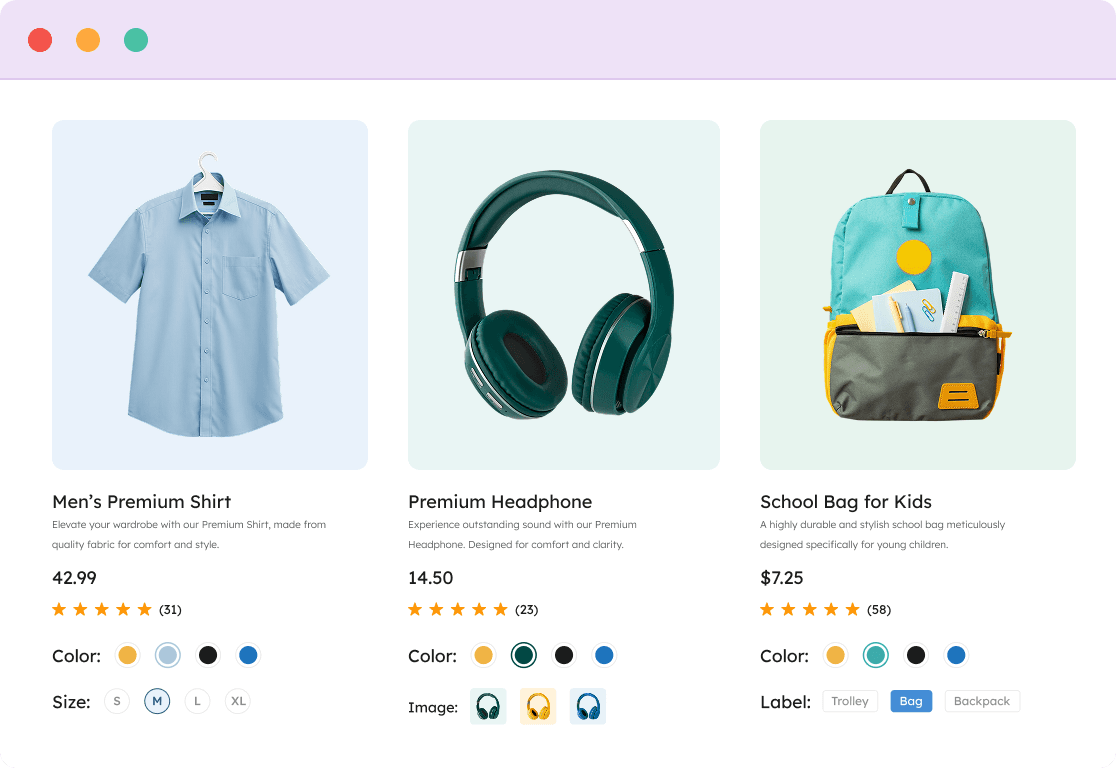
Yes, absolutely! Swatchly gives you complete flexibility to mix and match swatch types within a single product. For example, on a t-shirt listing, you can use:
- Color swatches (circles) for color variations
- Label swatches (text buttons) for sizes (S, M, L, XL)
- Image swatches for material types (showing cotton, polyester textures)
Each attribute can have its own swatch type, and you can configure this either globally for all products or customize it per product. This flexibility ensures your customers always see variations in the most logical, visual format.
How do I handle out-of-stock variations?
Swatchly provides multiple ways to display out-of-stock variations:
- Cross Sign – Shows a clear red X over unavailable options
- Blur with Cross – Combines a blurred effect with cross for subtle indication
- Blur Only – Gently fades out unavailable options
- Hide Completely – Removes out-of-stock variations from view entirely
You can set this globally in Swatchly Settings > General Settings > Disabled Attribute Type, or override it for specific products. This helps prevent customer frustration from selecting unavailable options and reduces support inquiries about stock availability.
Will Swatchly work on my shop/archive pages, or just product pages?
The free version of Swatchly works on single product pages, transforming the variation selection experience where it matters most.
The Pro version unlocks shop/archive page functionality with 6 flexible positioning options:
- Before/after product title
- Before/after price
- Before/after add to cart button
This allows customers to see and select variations directly from your shop page without clicking into each product, significantly speeding up the shopping experience and increasing conversions. You can also enable AJAX add to cart for shop pages in Pro.
Can I add custom tooltips or additional information to swatches?
Yes! Swatchly includes a comprehensive tooltip system that can display:
- Text tooltips – Add descriptions, material details, or care instructions
- Image tooltips – Show larger preview images or texture close-ups
- Combined tooltips – Use both text and images together
You can position tooltips in 6 locations (top/bottom × left/center/right) and customize their appearance including colors, borders, and animation delays. Tooltips can be set globally or customized per product attribute, perfect for providing sizing guides, color descriptions, or material specifications without cluttering your product page.
How does Swatchly handle custom product attributes vs global attributes?
Swatchly seamlessly works with both WooCommerce attribute types:
Global Attributes (created in Products > Attributes):
- Set default swatch types when creating the attribute
- Automatically applies to all products using that attribute
- Can still be overridden per product if needed
Custom Product Attributes (created on individual products):
- Full swatch support just like global attributes
- Configure swatch type directly in the product edit screen
- Perfect for unique product-specific variations
The plugin automatically detects which type you’re using and provides the appropriate swatch options. You can even convert existing dropdown attributes to swatches with one click using the auto-convert feature, regardless of whether they’re global or custom attributes.
Get Started With Swatchly Today
Download the free version or unlock powerful Pro features. It’s time to give your product variations the upgrade they deserve.

Easy Setup
No Coding Required
Expert Support